
```html
Understanding the Dashboard
The Dashboard is the main overview screen of the UK Comms Reporting System. It provides quick access to important project statistics, task information, navigation menus, and user controls. This page is designed to help administrators, managers, and engineers quickly monitor ongoing operations and access different sections of the system.
Left Navigation Menu
The left-side navigation panel contains all major modules available within the system. Users can quickly move between different sections without needing to return to the homepage.
- Dashboard - Opens the main dashboard overview screen.
- Engineers - Manage engineer profiles and assignments.
- Managers - Manage manager accounts and permissions.
- Companies - View and manage company records.
- Projects - Access all project-related information.
- Task Management - Create, assign, and monitor tasks.
- Difficulty Management - Configure task difficulty levels.
- Engineer Points - Track engineer performance points.
- Payroll & Attendance - Manage attendance and payroll information.
- User Management - Create and manage user accounts.
- Roles & Permissions - Configure access permissions for users.
- Reporting - Generate and review system reports.
- Logout - Securely log out from the system.
Dashboard Summary Cards
The dashboard contains several summary cards that provide quick insights into system activity.
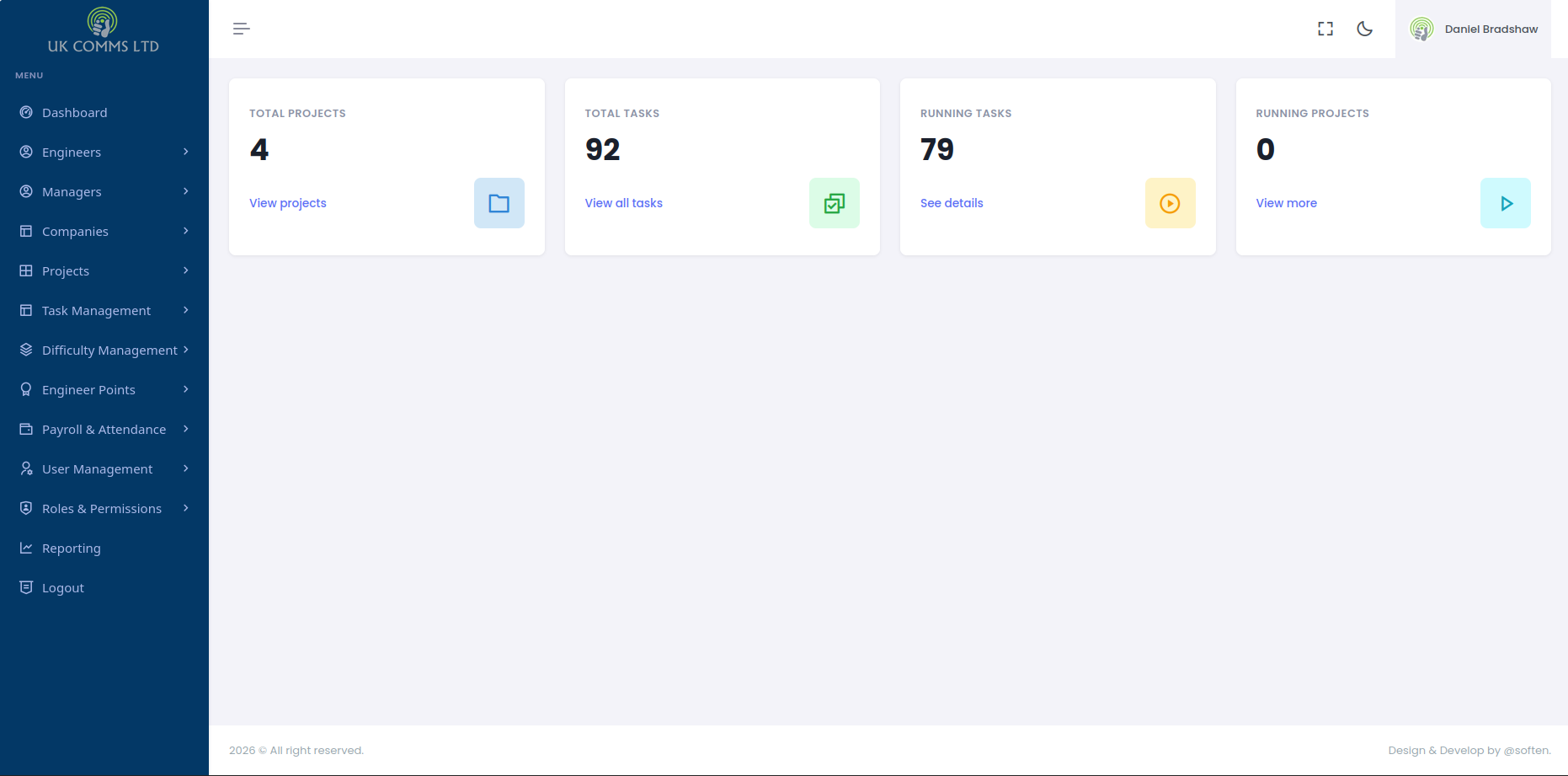
Total Projects
The Total Projects card displays the total number of projects currently created within the system. Selecting the View projects option will open the projects section for more detailed information.
Total Tasks
The Total Tasks card displays the total number of tasks available across all projects. The View all tasks option allows users to access the full task listing page.
Running Tasks
The Running Tasks card shows the number of tasks that are currently active or in progress. Selecting See details will display additional information about active tasks.
Running Projects
The Running Projects card displays the number of projects currently marked as active or ongoing. The View more option provides additional project details.
Top Navigation Bar
The top navigation bar contains quick-access controls and account-related options.
- Menu Toggle - Expands or collapses the left navigation panel.
- Fullscreen Option - Expands the dashboard to fullscreen mode.
- Theme Toggle - Switches between light mode and dark mode.
- User Profile Section - Displays the currently logged-in user information.
User Profile Area
The top-right section displays the logged-in user's name and profile icon. Depending on permissions, users may also have access to profile settings and account-related options.
Footer Section
The footer section at the bottom of the dashboard displays system copyright information and development credits.
Purpose of the Dashboard
The Dashboard serves as the central control panel for the UK Comms Reporting System. It provides users with a quick operational overview and allows efficient navigation between different modules of the platform.
```